



Quick Summary
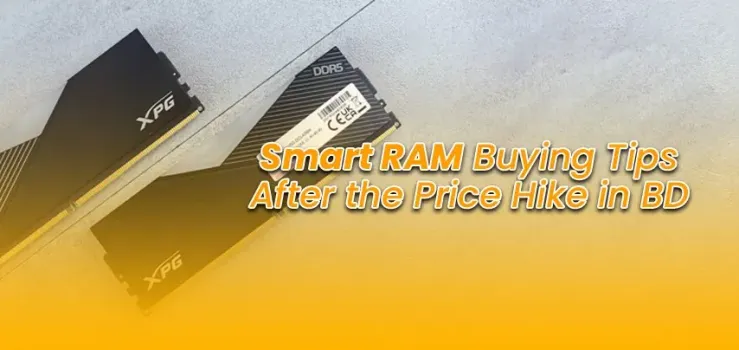
RAM prices in Bangladesh have increased due to a weaker BDT against the USD, higher global semiconductor demand, and increased import duties. If you need RAM right now for work, study, or gaming, buy it today. Prices are unlikely to drop significantly in the short term. RAM price in Bangladesh 2026 snapshot: 8GB DDR4 desktop RAM starts at around ৳2,200, and 16GB starts at around ৳4,000 at EERNA. DDR5 costs roughly 60% to 70% more than DDR4 for the same capacity, making DDR4 the smarter buy for most existing builds in Bangladesh. Most users running AMD Ryzen 5000 or Intel 12th generation or older platforms should stick with DDR4. DDR5 is only worth considering if you are building a brand-new system with Ryzen 7000 or Intel 13th- or 14th-generation processors. Today’s tips cover all of that in plain language so you can make the right call today.
Why Have RAM Prices Gone Up in Bangladesh?
RAM prices in Bangladesh have gone up for three main reasons, all hitting at the same time. Understanding them takes just two minutes and helps you plan smarter.
First, the global semiconductor supply has tightened again after a brief correction in 2023. Major RAM manufacturers, including Samsung, SK Hynix, and Micron, cut production to clear excess inventory.
Now that demand has caught up, supply is constrained, and prices have risen at the factory level before the product even reaches Bangladesh.
Second, the BDT has weakened against the USD over the past year. Since RAM is priced globally in US dollars, whenever the exchange rate shifts, the price in taka rises even if the international dollar price stays the same. You can track the current USD-to-BDT rate on the Bangladesh Bank's official rate page.
Third, import duties on electronics have been raised, adding to the cost at the customs stage before products reach retailer shelves.
All three factors together explain the RAM price hike buyers are experiencing in Bangladesh right now.
Should You Buy RAM Now or Wait?
Buy now. That is the direct answer, and here is why.
There is no credible signal that RAM prices will drop meaningfully in Bangladesh within the next three to six months.
Global supply is recovering slowly, the BDT remains under pressure, and import duty structures are unlikely to change in the near term. Waiting for a significant price drop is likely to cost you more in lost productivity than you would save. The only exception is if you are planning a completely new build on a next-generation platform.
In that case, wait until you are ready to buy the full system so you can choose DDR4 or DDR5 based on your motherboard.
Browse current RAM prices at EERNA to anchor your decision against real available stock. You can also use the EERNA PC Builder tool to configure a complete build and see how RAM fits into your total budget.
How Much RAM Do You Actually Need?
The answer depends on what you use your computer for. More RAM is not always better if your workload does not need it. Here is the honest breakdown.
8GB RAM: Is It Still Enough?
8GB is still workable for light tasks like browsing, document editing, video calls, and online classes. But in 2026, it is starting to feel cramped.
Windows 11 and modern browsers use more background memory than ever before. If you run multiple tabs, a video player, and a productivity app simultaneously, 8GB will noticeably slow you down.
For students and light users on a tight budget, 8GB gets the job done today. The 8GB vs 16GB RAM price difference in Bangladesh is around ৳1,800 to ৳2,000 for desktop DDR4, which is worth paying if you can manage it.
16GB: The Safe Standard for 2026
16GB is the sweet spot for almost every user in Bangladesh right now. It handles web browsing, office work, coding, 1080p video editing, gaming at medium to high settings, and multitasking without any noticeable slowdown. If you are upgrading any system in 2026, 16GB should be your minimum target.
A 2x8GB dual-channel kit gives you better performance than a single 16GB stick for the same capacity.
Always buy a matched kit when you can. Check the desktop RAM section on EERNA for the current pricing of the 16GB kit.
32GB and Above: Who Really Needs It?
32GB or more is genuinely useful for video editors working in 4K or higher, 3D designers, machine learning developers, streamers running capture software alongside games, and software developers running multiple virtual machines. For everyone else, 32GB is overkill in 2026, and the money is better spent elsewhere.
If you are not sure whether you need 32GB, you almost certainly do not. Start at 16GB and upgrade later when your actual workload demands it.
DDR4 vs DDR5: Which Should You Buy Right Now?
This is the most common question for buyers in Bangladesh right now, and the answer is simpler than most articles make it seem. Your motherboard decides this, not your preference.
Price Difference in Bangladesh
DDR5 costs roughly 60% to 70% more than DDR4 for the same capacity in Bangladesh right now. That premium is significant for most buyers.
The performance gains from DDR5 over DDR4 are real but modest for everyday workloads. For gaming specifically, real-world benchmark data from sources like Tom's Hardware shows single-digit differences in frame rates across most titles.
Here is a current price comparison based on products available in Bangladesh:
Prices are approximate and subject to change. See live pricing for our Desktop RAM and Laptop RAM collections in Bangladesh.
Which CPUs and Motherboards Support Which?
Most buyers in Bangladesh right now are on AMD Ryzen 5000 series or Intel 10th-, 11th-, or 12th-generation processors. All of these platforms use DDR4. Upgrading to DDR5 on these platforms is not possible because the motherboards physically do not support it.
DDR5 is compatible only with AMD Ryzen 7000 series (AM5 socket) and Intel 13th- or 14th-generation processors on LGA1700 motherboards with DDR5 slots.
Before buying RAM, check your motherboard's specifications. You can find compatible motherboards at EERNA with DDR4 and DDR5 options clearly listed.
Best RAM Brands Available in Bangladesh
Not all RAM is equal, but all the major brands sold in Bangladesh deliver reliable performance when bought from an authorized retailer. Here is what each brand is best suited for.
Kingston: Best Budget Option
Kingston ValueRAM and Kingston Fury are the most widely stocked RAM brands in Bangladesh. Kingston ValueRAM is the go-to choice for budget builds and upgrades. It is reliable, widely available, and backed by a solid warranty. Kingston Fury Beast is a step up with slightly higher speeds, suitable for mid-range gaming builds. Check Kingston RAM prices at EERNA for current stock.
Corsair: Best for Performance Builds
Corsair Vengeance and Corsair Dominator are the top choices for gamers and performance enthusiasts who want higher clock speeds and better thermal management. Corsair RAM tends to cost more than Kingston, but its build quality and performance headroom justify the price for demanding workloads. Browse Corsair RAM at EERNA for gaming kit options.
Team Group, ADATA, Crucial: Value Picks
Team Elite and T-Force by Team Group offer excellent value at mid-range prices. ADATA XPG is popular for gaming builds that want RGB and performance without Corsair pricing. Crucial is a reliable everyday brand backed by Micron's manufacturing. All three are available at EERNA under the desktop RAM category.
Here is a quick brand comparison at a glance:
Laptop vs Desktop RAM: Key Differences
Laptop RAM and desktop RAM are physically different. Laptops use SO-DIMM modules, which are smaller than the full-size DIMM sticks used in desktop systems. You cannot fit a desktop RAM stick into a laptop slot. Always confirm whether you need SO-DIMM or DIMM before buying.
More importantly, many modern laptops have RAM that is soldered directly to the motherboard. It means it cannot be upgraded at all, no matter how much you want to add more.
Before purchasing laptop RAM, check your laptop's manual or look up your exact model online to confirm whether the RAM slot is user-accessible.
Popular upgradeable laptop lines in Bangladesh include many Lenovo IdeaPad, HP Pavilion, and ASUS VivoBook models. Check the laptop RAM section at EERNA for compatible SO-DIMM modules.
If you are in the market for a laptop where RAM upgrades matter, check out the best programming laptops in Bangladesh to find models with accessible RAM slots.
Tips to Save Money on RAM Right Now
A few simple strategies can help you get better RAM for less money during this price-hike period in Bangladesh.
Buy a dual-channel kit instead of a single stick. A 2x8GB kit at 16GB total performs noticeably better than a single 16GB stick because it runs in dual-channel mode. The price difference between a kit and a single stick is small, but the performance gain is real.
Check laptop RAM accessibility before purchasing. Do not buy SO-DIMM modules until you confirm that your laptop's RAM is user-replaceable. Soldered RAM cannot be upgraded, and you will waste your money.
Look for combo deals at EERNA. EERNA often bundles RAM with motherboards or includes RAM in pre-configured PC builds at discounted prices. A bundled purchase can save you more than buying components separately.
Do not overspend on RGB if you do not need it. RGB RAM looks great in a case with a glass panel, but it costs more and offers no performance advantage. Plain heat spreader versions of the same RAM kit are cheaper and perform identically.
Buy only what you need today and upgrade later. If 16GB fits your current needs, do not spend more on 32GB now. RAM prices may stabilize in the future, and your motherboard will likely still accept an upgrade at that point.
Use the EERNA PC Builder tool to compare costs. The EERNA PC Builder lets you slot different RAM options into a full build and see the combined cost, helping you balance RAM spending with other components.
Frequently Asked Questions on Buying RAM After the Price Hike
Can I mix RAM brands in Bangladesh?
You can mix RAM brands, but it is not recommended. Mixing brands with different speeds, timings, or voltages can cause system instability, random crashes, or a failure to boot. If you already have one 8GB stick and want to add another, try to find the same brand, model, and speed. If that is not possible, your system will likely run both sticks at the slower of the two speeds, which is still workable but not ideal.
Does RAM brand matter for gaming?
For gaming, RAM speed and capacity matter more than brand, within reason. A 16GB kit running at 3200MHz from Kingston will perform almost identically to a 16GB kit at 3200MHz from Corsair in most games. Where Corsair and ADATA XPG stand out is in overclocking headroom and slightly better quality control for enthusiast builds. For standard gaming at 1080p or 1440p in Bangladesh, Kingston or Team Group at the right speed is perfectly fine.
How do I check if my motherboard supports DDR5?
The easiest way is to look up your motherboard's model number on the manufacturer's website. DDR5 support is clearly listed in the specifications section. Alternatively, check the physical RAM slot on your motherboard. DDR4 and DDR5 slots look nearly identical, but the notch positions differ, so a DDR5 stick will not physically fit in a DDR4 slot. If you are building a new system and want DDR5 compatibility, browse the motherboard category at EERNA, where DDR4 and DDR5 boards are clearly labeled.




-330x240.webp)


Comments
There are no comments for this Article.