




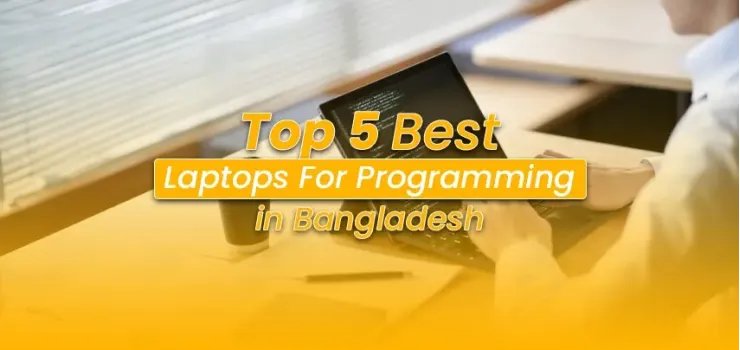
If you're searching for the best laptop for programming in Bangladesh, the honest answer is this: the right machine depends less on the price tag and more on which specs actually matter for code.
Picking the wrong one costs you more than money; it costs you compile time, IDE lag, and two years of frustration every time you open Docker alongside VS Code.
This guide cuts through the noise.
We looked at what real developers in Bangladesh run, what the local market actually stocks, and which laptops from EERNA's laptop collection hold up for the work.
What Specs Actually Matter for Programming in Bangladesh
The best laptop for coding in Bangladesh is not the one with the biggest number on the box.
It's the one that handles your actual workload, running an IDE, a browser with 20 tabs, a local server, and maybe Docker, without breaking a sweat.
Processor: The Engine Behind Every Build
For 2026, an Intel Core i5 (12th Gen or newer) or AMD Ryzen 5 7000 series is the minimum worth considering.
These handle VS Code, PyCharm, and Android Studio comfortably during normal development.
If you're doing backend work with microservices, compiling large Java or Kotlin projects, or running machine learning models locally, step up to a Core i7 or Ryzen 7.
The jump in compile time alone is worth it.
Pro Tip: Generation matters more than clock speed. A 12th Gen i5 will outrun an 8th Gen i7 in most real-world developer tasks.
Always check the generation before buying.
RAM: The Spec Where 8GB Tells a Lie in 2026
Here's a hard truth: 8GB RAM is no longer enough for modern development.
Run VS Code with a few extensions, open Chrome for documentation, spin up a Docker container, and you're already at 85% memory usage.
The OS starts swapping to disk, everything slows, and you spend more time watching loading bars than writing code.
16GB is the minimum for serious development in 2026.
If you plan to run Android Studio (which needs at least 8GB just for itself), work with virtual machines, or run multiple services locally, 24GB or 32GB makes a real difference.
Also, and this is important for buyers in Bangladesh, check whether the RAM is soldered or in DIMM slots before purchasing.
Many ultrabooks have RAM soldered to the motherboard. You cannot upgrade them later.
Do not buy an 8GB soldered model thinking you'll add more. You won't be able to. Check the laptop RAM price options at EERNA if you're planning an upgrade for a compatible machine.
Warning: Many budget laptops in Bangladesh ship with a single 8GB stick using only one memory channel.
This cuts memory bandwidth nearly in half. Always look for dual-channel configurations.
Storage: NVMe SSD Is Non-Negotiable
Any HDD in 2026 for a programming machine is a productivity killer.
An NVMe SSD opens your IDE in seconds, not minutes. Project indexing in IntelliJ or PyCharm, which can take over a minute on an HDD, finishes in under ten seconds on a good NVMe drive. Minimum 512GB.
If you work with large datasets, Docker images, or multiple projects simultaneously, 1TB is a smarter long-term buy.
Display: Matte Panel, Full HD Minimum
Programmers work in different lighting conditions at home, a co-working space in Gulshan, or a café in Dhanmondi.
A glossy screen makes you fight reflections all day. Look for a matte anti-glare panel with at least 1920x1080 resolution. Full HD (FHD) is the baseline.
If your work involves UI design or frontend development, a wider color gamut (100% sRGB) means what you see on screen matches what users see in their browsers.
A 14-inch to 15.6-inch size is the sweet spot in Bangladesh, portable enough to carry between home and office, large enough that you're not squinting at code.
Battery Life: Critical in Bangladesh
Load-shedding is real. Many developers in Dhaka work through power cuts, relying entirely on batteries.
A machine that promises 8 hours but delivers 4 under programming load is a problem.
Look for batteries of 65Wh and above, and check real-world reviews; manufacturers' rated hours are always measured on light tasks like video playback, not active coding.
The RAM Upgrade Myth: Read This Before Buying
One of the most common mistakes we see buyers make is this: they buy a laptop with 8GB RAM, thinking they'll upgrade it later.
On many modern ultrabooks and even some gaming laptops, the RAM is soldered to the board. There is no upgrade path. You're locked in from day one.
Before purchasing, confirm whether the RAM slots are user-accessible. If a seller cannot give you a clear answer, assume it's soldered and factor that into your decision.
Best Laptops for Programming in Bangladesh (2026)
The HP Victus 15-fa1249TX hits a sweet spot that's hard to find under ৳110,000 in Bangladesh: a 13th Gen processor, a genuine anti-glare display, and a 70Wh battery that actually matters during load-shedding.
It's not the lightest machine on this list, but for a web developer or freelancer who needs reliable daily performance without paying a premium for portability, this is the one to beat.
1. HP Victus 15-fa1249TX: Best for Web Developers and Freelancers Who Need Portability
Price: ~৳108,000 | You can check it out EERNA
The 13th Gen Core i5-13420H handles VS Code and multiple browser tabs without hiccuping.
The anti-glare IPS panel is exactly what a programmer needs; code stays readable under office lighting without reflections pulling your focus.
The 70Wh battery is genuinely useful during power cuts, and the fast charge feature gets you back to 50% in around 30 minutes.
The RTX 2050 GPU adds value if you occasionally do data science work with GPU acceleration, but it's not a reason to buy this machine.
The reason is the processor, the NVMe SSD, and the solid build at this price point.
Best for: Web developers, freelancers doing frontend or backend work, and computer science students who need a capable daily driver.
Pros:
Anti-glare FHD IPS display — great for varied lighting conditions
Fast NVMe SSD keeps IDE performance sharp
Cons:
8GB RAM is tight for Docker + IDE + browser simultaneously (consider pairing with a RAM upgrade if slots allow)
45% NTSC color coverage is limited for frontend devs who care about color accuracy
2. Lenovo LOQ 15IAX9 (Core i5, 24GB) — Best for Backend Developers and Computer Science Students
Price: ~৳105,900–৳112,000 | Available at EERNA
This is where the LOQ stands out from almost everything at this price range in Bangladesh: 24GB of upgradeable DDR5 RAM.
That's not a spec you usually see below ৳120,000. Running Docker, a local PostgreSQL instance, VS Code with extensions, and a browser for docs simultaneously, this machine handles it without slowing down.
The dual-slot design also means you can upgrade further down the line.
The 100% sRGB display at 300 nits with an anti-glare coating is genuinely good for a programmer's laptop.
Colors are accurate enough for frontend work, and the brightness handles a well-lit room with no issues. The extra M.2 slot means you can add storage as your project files grow.
Good to Know: The LOQ's hyper-chamber cooling system keeps temperatures under control during extended compile sessions,a real consideration during Bangladesh's summer months when ambient temperatures push machines harder.
Best for: Backend developers, computer science students running data structures coursework, and anyone building and running local development environments with multiple services.
Pros:
24GB upgradeable DDR5 RAM, runs Docker, IDE, and browser simultaneously without pressure
100% sRGB anti-glare display with 300 nits brightness
Cons:
Heavier than ultrabooks at around 2.4kg, not ideal if you commute daily with it
144Hz refresh rate is useful for gaming, but doesn't add much for code work
3. ASUS Zenbook S 13 OLED UX5304MA: Best for Full-Stack Developers and Remote Workers Who Travel
Price: ~৳175,500–৳187,000 | Available at EERNA
At exactly 1.00 kg, the Zenbook S 13 is one of the lightest laptops you can carry between client meetings, co-working spaces, and home.
The Intel Core Ultra 7 on the Intel Evo platform is built for efficiency; it delivers strong single-core performance (which benefits most developer tools) while keeping the machine cool and silent. There's no fan noise during normal coding sessions.
The 3K OLED display with 100% DCI-P3 and PANTONE validation changes the experience for frontend developers, UI designers, and anyone spending long hours looking at code.
Colors are precise, blacks are true black, and the 16:10 aspect ratio gives you more vertical screen space, so you see more lines of code without scrolling.
The on-board RAM means no upgrades are possible.
The 16GB is enough for most web and software development tasks, but if you need to run heavy local environments with multiple Docker containers, this is a trade-off to accept.
Tip: The Zenbook S 13 includes Thunderbolt 4 ports — useful for connecting external monitors at your Dhaka home setup while staying ultra-portable on the road.
Best for: Full-stack developers, remote workers, SaaS freelancers who move between locations and need a machine that's productive everywhere, all day.
Pros:
1kg build with all-day battery — genuinely portable without compromise
3K OLED display with 100% DCI-P3 — the best screen on this list for extended coding sessions
Cons:
RAM is soldered — 16GB is all you get, no upgrade path
Intel Iris Xe graphics means no GPU compute for ML tasks
4. Apple MacBook Air M3: Best for Developers Who Work in the Apple Ecosystem
Price: ~৳126,000–৳140,000 (8GB/256GB to 16GB/512GB) | Available at EERNA
The MacBook Air M3 is a compelling choice for developers who work with Swift, React Native targeting iOS, or who are embedded in the macOS toolchain.
The M3 chip's unified memory architecture means the 16GB variant handles memory-intensive tasks more efficiently than you'd expect from the number alone.
The fanless design runs completely silent, a meaningful quality-of-life difference in a quiet office.
Battery life is genuinely exceptional here.
Most developers using the M3 Air for coding tasks report 10–12 hours of real-world use, which covers a full Bangladeshi workday with no power anxiety.
One important flag: the 8GB base model is too tight for heavy development in 2026.
If you're buying the MacBook Air for serious programming, spend the extra money on the 16GB variant. Unified memory works differently from traditional RAM, but the ceiling still matters.
Important: macOS has an excellent developer toolchain for Apple platform development and Unix-based workflows, but if your work is Windows-specific or requires software only available on Windows/Linux, factor in the compatibility implications.
Best for: iOS/macOS developers, JavaScript and web developers who prefer Unix environments, and developers in teams that standardize on MacBooks.
Pros:
Industry-leading battery life with fanless silent operation
M3 chip handles Python, Node.js, and Swift compilation very efficiently
Cons:
8GB base model is not enough for serious development in 2026 — buy 16GB
Higher price for equivalent compute compared to Windows alternatives; RAM is fully soldered with no upgrade path
5. Dell Inspiron (Core i5, 16GB): Best Budget Option for Programming Under ৳60,000
Price: ~৳50,000–৳75,000 | Available at EERNA
The Dell Inspiron line is one of the most sensible places to start for a programming laptop under 60000 taka in Bangladesh.
Mid-tier Inspiron models with Intel Core i5 (11th or 12th Gen) and 16GB RAM handle Python scripting, web development in VS Code, Git workflows, and database work without the frustration you get from lower-specced machines.
What makes the Inspiron a reliable pick in the Bangladesh market is Dell's consistent build quality and strong after-sales service network.
The chassis is durable, thermals are stable under sustained load, and the keyboard has the key travel programmers appreciate during long sessions.
Look for configurations with at least 512GB SSD and 16GB RAM. Avoid models shipped with just 8GB; upgradeable slot configurations exist in most Inspiron models, so check before buying, but start with 16GB to avoid the immediate need to upgrade.
Best for: Computer science students, junior developers, and programmers looking for a reliable machine under ৳60,000 that handles daily coding tasks without drama.
Pros:
Strong build quality and widely available Dell service support in Bangladesh
Typically comes with upgradeable RAM slots — future-proof compared to soldered options
Cons:
Display quality varies across models — verify the panel spec (IPS vs TN) before purchase
Less competitive storage speeds in some variants compared to the other machines on this list
Programming Laptop Comparison at a Glance
For a Laptop for Software Engineers in Bangladesh: Which One Should You Actually Buy?
If you need one recommendation: the Lenovo LOQ 15IAX9 with 24GB RAM is the strongest all-around programming machine in Bangladesh right now under ৳115,000.
The memory headroom alone sets it apart from every other machine at this price.
Backend developers running microservices, CS students working through competitive programming and data structures, and developers who need local database and Docker setups will feel the difference immediately.
If portability is your priority and your budget allows, the ASUS Zenbook S 13 OLED is the machine worth stretching for.
At 1kg with a 3K OLED display and Thunderbolt 4, it works as a portable powerhouse and a docked workstation with equal grace.
For those starting out or working with tighter budgets, the Dell Inspiron line is reliable, upgradeable, and has genuine service support in Bangladesh, which matters when something eventually needs fixing.
Final Word
The right programming laptop in Bangladesh is one that respects your time.
It opens your IDE fast, runs your local environment without choking, and stays on long enough to get work done during a load-shedding session. Every machine on this list does that; the question is which one fits your workflow and budget.
Start with the specs that matter: 16GB RAM minimum, NVMe SSD, and an anti-glare display. Get those right, and the code takes care of itself.
Frequently Asked Questions
Which laptop is best for programming in Bangladesh under ৳60,000?
The Dell Inspiron with a Core i5 processor and 16GB RAM is the strongest option in this range.
Look for 12th Gen i5 configurations with NVMe SSD storage. Avoid models with only 8GB RAM or HDD storage, as both will slow your development work significantly.
Is 8GB RAM enough for programming in 2026?
No. Running VS Code or PyCharm with a browser, local server, and Docker simultaneously pushes 8GB to its limit. Modern development workflows need at least 16GB. On soldered RAM laptops, 8GB is a permanent ceiling.
Which processor is best for coding in Bangladesh?
For most developers, Intel Core i5 13th Gen or AMD Ryzen 5 7000 series hits the right performance-to-price balance.
Backend developers and data science students should target i7 or Ryzen 7. The generation matters; always check it, not just the model number.
Is the MacBook Air M3 good for programming in Bangladesh?
Yes, especially for web development and macOS/iOS apps.
The battery life is exceptional, and the M3 chip handles developer workloads efficiently. Buy the 16GB variant; the 8GB base model is not enough for serious programming in 2026.
Can I use a gaming laptop for programming?
Yes. Gaming laptops like the Lenovo LOQ and HP Victus make solid programming machines because they come with strong processors, ample RAM options, and fast NVMe storage. The GPU is an added bonus for machine learning work.
The main trade-off is weight and battery life compared to ultrabooks.
What display should I look for in a programming laptop?
A matte anti-glare FHD (1920x1080) IPS panel is the baseline. If you do frontend development or design work, aim for 100% sRGB coverage.
The ASUS Zenbook S 13 OLED's 3K OLED panel with 100% DCI-P3 is the best display on this list for extended coding sessions.
Where can I buy a programming laptop in Bangladesh with an official warranty?
EERNA stocks a wide range of verified programming-capable laptops with official warranty and EMI options across multiple Dhaka showrooms, including at the Multiplan Center. You can also order online with home delivery across Bangladesh.



-330x240.webp)


Comments
There are no comments for this Article.