





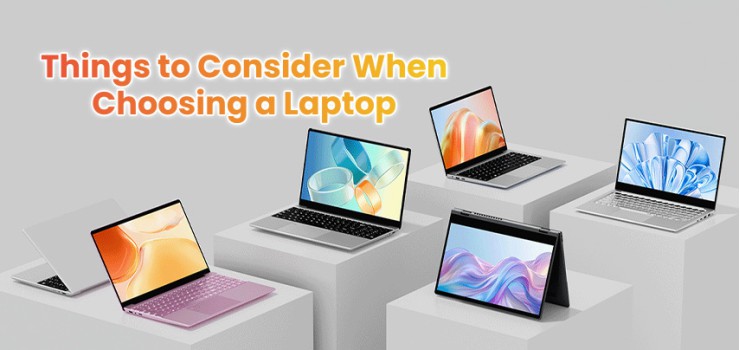
Buying a laptop feels overwhelming.
You see hundreds of options with confusing specs and big price tags. One wrong choice means wasting money on a machine that won't work for your needs.
But choosing the right laptop gets easier when you know what matters. This guide shows you exactly what things to consider when choosing a laptop that fits your life and budget.
Let's make your next laptop purchase simple and smart.
Know What You'll Actually Use It For
Stop looking at specs first. Start with your daily tasks instead.
Most people buy laptops based on what looks cool. That's a mistake. Your needs decide everything else - from the processor to how much you should spend.
Ask yourself these questions:
Will you mostly browse websites and use Microsoft Office?
Do you edit videos or photos?
Will you play games?
Do you need to run engineering software?
Each answer points to different laptop requirements. A student writing papers needs something very different from a video editor. Therefore, defining your purpose saves you from spending too much or buying too little.
In Bangladesh, laptops start at ৳30,000 for basic tasks. Students and professionals find great options between ৳60,000-৳85,000. Gaming and creative work needs ৳100,000-৳160,000. Premium laptops cost ৳180,000 and up.
Match your budget to your real needs first. This prevents expensive regrets later.
Pick the Right Processor for Better Speed
Not all processors work the same. This confuses many buyers.
The processor generation matters more than the model name. A new Core i5 beats an old Core i7 every time. Additionally, 2026 brings powerful AI processors that handle tasks faster without an internet connection.
Here's what you need for different work:
Students: Intel Core i5 or AMD Ryzen 5 handles school projects, video calls, and light gaming smoothly.
Office Workers: Core i5 or Ryzen 5 works great. Save money here and spend on more RAM instead.
Video Editors: Core i7 or Ryzen 7 with a graphics card (RTX 3060 minimum) handles heavy editing tasks.
Engineers: Core i7 or Ryzen 7 with professional graphics cards runs CAD software properly.
Remember this simple rule: newer generation always beats older models. Don't save ৳10,000 by buying last year's processor. Your laptop will feel slow much sooner.
Get Enough RAM and Storage Space
Here's the truth: 8GB RAM isn't enough anymore.
Modern laptops typically require 16GB of RAM for smooth performance. Websites, apps, and background programs use more memory than ever.
Moreover, 16GB DDR5 RAM costs a reasonable amount now in Bangladesh's ৳80,000 range.
Storage matters just as much. Hard drives feel slow and outdated. SSD storage makes everything instant - your laptop starts in seconds, programs open quickly, and files load fast.
Get 512GB SSD minimum. This gives enough space for your system, programs, and personal files. Creative professionals need 1TB. Video editors should look for 2TB because video files eat space quickly.
DDR5 RAM works slightly better than DDR4. However, the difference isn't huge for regular tasks. Choose DDR5 when prices match DDR4 for future-proofing.
Choose a Display That Protects Your Eyes
You stare at your screen for hours daily. Don't ignore display quality.
Your display affects comfort and productivity every single day. A bad screen causes headaches and eye strain. Consequently, this isn't where you cut costs.
Resolution Basics:
1920×1080 (Full HD): Minimum standard for 2026
2560×1440 (QHD): Better for creative work
4K: Only necessary for specific professional tasks
Display Technology:
OLED screens offer major advantages. They show true blacks, amazing contrast, and reduce harmful blue light by 70%. However, OLED costs more and can suffer from burn-in with static images.
LCD screens cost less and work great for gaming with high refresh rates. Most users find them perfectly fine.
Refresh Rate Matters:
60Hz: Standard for school and office work
144Hz: Minimum for gaming
165Hz-240Hz: Best for competitive gaming
The jump from 60Hz to 144Hz feels massive. Scrolling becomes smooth and games look fluid.
Other Important Features:
Brightness: Look for 250+ nits to see outdoors
Size: 14-15.6 inches balances screen space with portability
Color Accuracy: Important only for designers and photographers
Pick your display based on what you'll do most. Gamers want high refresh rates. Designers need color accuracy. Everyone else should prioritize comfort and resolution.
Check Battery Life and Weight
Manufacturers lie about battery life. "All-day battery" usually means light web browsing, not real work.
Expect 8-10 hours of real-world use from good laptops. Video editing drains batteries faster than watching videos. Furthermore, touchscreens use more power than regular displays.
Ultrabooks weigh under 1.4 kg and travel easily. However, they sacrifice ports and cooling performance. Standard laptops weigh 4-5 pounds but offer better features.
For Bangladesh users, unreliable power makes battery life critical. Plan to replace batteries every 3-4 years for ৳3,000-৳5,000.
Choose based on your movement. Carry your laptop everywhere? Get an ultrabook. Work mostly from one place? Standard laptops offer better value.
Look for Strong Build Quality
Cheap laptops break faster and cost more to fix.
Good build quality means your laptop lasts 3-4 years minimum. Hot-running laptops slow down and die early. Therefore, proper cooling matters as much as processor speed.
Build Quality Signs:
Metal construction (aluminum or magnesium) lasts longer than plastic
Good keyboards with proper key travel feel comfortable
Strong hinges survive daily opening and closing
Military-grade certifications show durability
Long warranties (2-3 years) indicate manufacturer confidence
Thin laptops look sleek but sacrifice durability and repairability. They also run hotter and have shallow keyboards.
Test the keyboard before buying. You'll type on it constantly. Additionally, make sure the laptop doesn't feel flimsy when you pick it up.
Get Modern Ports and Fast Wi-Fi
Old ports create daily frustration. New standards work faster and last longer.
Essential ports for 2026:
USB-C with Thunderbolt 4: Fast data transfer and charging
USB-A: Needed for older devices
HDMI: Connects to TVs and projectors
Headphone Jack: Increasingly rare but still useful
SD Card Reader: Must-have for photographers
Wi-Fi 6E and Wi-Fi 7 offer real speed improvements. They handle more devices and reduce connection drops.
Check port placement too. Ports only on one side cause a cable mess. Balanced placement keeps your desk organized.
Buy from Reliable Sellers with Good Support
EERNA Ltd stands as Bangladesh's top IT retailer.
They offer genuine laptops from 100+ brands with prices from ৳30,000 to ৳297,000+. Their Dhaka locations include IDB Bhaban, Multiplan Center, and Jamuna Future Park.
EERNA provides expert consultation and warranty support through 1000fix - Bangladesh's largest ISO-certified service center. The eerna.com.bd website delivers in 1-2 days (Dhaka) or 48 hours nationwide.
Contact them at 01324-418026 or info@eerna.com.bd for personalized recommendations.
Service center availability matters more than you think. A ৳20,000 discount means nothing when your laptop breaks and nobody can fix it.
Avoid These Critical Mistakes
Buying on looks alone: Pretty laptops might have weak cooling or limited ports. Performance beats appearance.
Choosing old processors to save money: That ৳10,000 savings disappears when your laptop slows down in two years.
Ignoring the screen: Bad displays hurt your eyes daily. Spend properly here.
Skipping after-sales support: Unknown brands with no service centers cause huge headaches later.
Not testing first: Use the laptop for 30 minutes before buying if possible.



-330x240.webp)


Comments
There are no comments for this Article.