





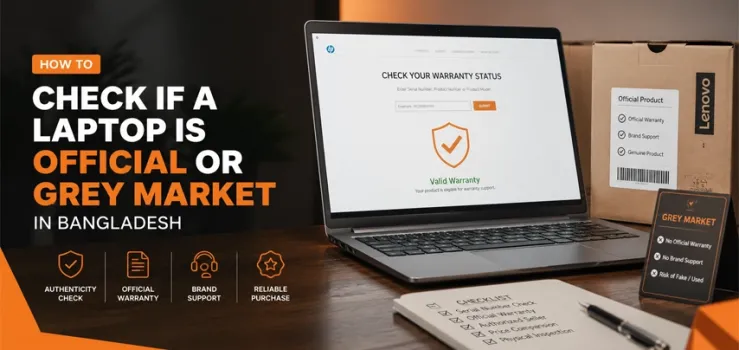
To check if a laptop is official or grey market in Bangladesh, locate the serial number on the bottom chassis sticker and enter it into the brand's warranty verification portal. If the result shows a Bangladesh or SAARC region warranty with a start date within a few days of your purchase, the laptop is official. If it returns no record, a non-Bangladesh region, or an already-active warranty from before you bought it, you are looking at a grey market unit. It matters more than most buyers realize at the point of sale. Finding the Best Laptop in BD means nothing if the one you buy cannot be serviced locally when the motherboard fails six months after purchase. EERNA stocks officially imported laptops across all major brands with verified serial numbers, Bangladesh-region warranties, and VAT-compliant invoices as standard.
Official vs Grey Market Laptops: What's the Real Difference?
Official and grey market laptops can look identical in the box, feel the same in your hands, and run the same software. The difference is invisible until the moment you need support, and that is exactly when it becomes expensive.
What 'Official' Actually Means in the Bangladeshi Market
An official laptop in Bangladesh is one that has been imported and distributed by the brand's authorized Bangladesh distributor.
For HP, that distributor handles warranty registration, spare parts stocking, and authorized service center operations inside Bangladesh.
When you buy an official unit, a Bangladesh-region warranty is registered to your serial number from the date of purchase.
Authorized service centers will accept your device for warranty and paid repairs, as genuine OEM parts are used, and a VAT-compliant invoice matches your serial number.
It is the full package. The price is a little higher because the import duty has been paid legally and the distribution chain is maintained.
What 'Grey Market' Means and Why It Is Not the Same as Counterfeit
A grey market laptop is a genuine product imported outside the official distribution channel. It is not fake hardware.
The HP Pavilion or Dell Inspiron is exactly the same device, often assembled in the same factory.
The difference is that it was sourced from another country's stock, often the UAE, Singapore, or China, by a parallel importer and brought into Bangladesh without going through the authorized distributor.
It means the brand's Bangladesh operation has no record of it. No local warranty. No authorized service. No DOA policy.
The laptop works fine on day one. The problem comes on day 61, when the only keyboard you can type on stops responding and no authorized center will touch it.
How to Find Your Laptop's Serial Number or Service Tag
Every laptop has a unique identifier that ties it to the brand's database. It is the key to verifying warranty status. Here is where to find it on every major platform.
Checking the Sticker on the Chassis
Turn the laptop over and look at the bottom panel. Every laptop has a regulatory label with the model number and serial number printed on it.
HP labels it as S/N. Dell labels it as Service Tag (a 7-character alphanumeric code). Lenovo labels it as the Machine Type Model (MTM) alongside the serial number. ASUS uses S/N.
The serial number or Service Tag on this sticker is what you enter into the brand's portal.
If the sticker is missing, scratched off, or shows signs of having been replaced, treat that as a significant red flag.
Finding It in BIOS/UEFI
Restart the laptop and press F2, F10, F12, or Delete during boot to enter the BIOS or UEFI firmware.
Navigate to the System Information or Main page. The serial number is displayed there and matches the chassis sticker on any genuine, unmodified unit.
If the BIOS serial number differs from the chassis sticker, the sticker has been replaced, or the firmware has been tampered with, which is a definitive sign of manipulation.
Using Command Prompt or PowerShell
On Windows, press Windows key + R, type cmd, and press Enter. In the Command Prompt window, type wmic bios get serialnumber and press Enter.
The laptop's serial number appears on the next line. Alternatively, open PowerShell and run Get-WmiObject Win32_BIOS | Select SerialNumber.
Both methods pull the serial from the firmware directly. This is the most reliable method because it cannot be faked by replacing a sticker.
Brand-by-Brand: How to Verify Official Warranty Status in Bangladesh
Each major laptop brand operates its own warranty verification portal. The process takes under two minutes and tells you everything you need to know about the unit's official status.
HP: Warranty Check Portal
Go to support.hp.com and enter your serial number in the product identification field.
An official Bangladesh HP laptop shows a warranty type of HP Care Pack or Base Warranty with the region listed as Asia Pacific or Bangladesh specifically.
The warranty start date should match your purchase date within one to three business days.
If the result shows a US, UK, or Middle East region warranty, or if the coverage has already been running for weeks before you bought the unit, the laptop was sourced from grey market stock.
For HP laptops in Bangladesh, all carry verified Bangladesh-region warranty records.
ASUS: Warranty Inquiry Tool
Visit asus.com/support and select Warranty Inquiry. Enter the serial number from the chassis sticker.
An official ASUS laptop for Bangladesh shows Perfect Warranty or Global Warranty with active coverage tied to the Bangladesh region distributor.
If the lookup returns 'not found' or shows coverage under a different country's distributor, the unit is grey market.
ASUS's Perfect Warranty is particularly important in Bangladesh because it covers manufacturing defects without requiring the original purchase receipt, but only for officially registered Bangladesh units.
Official ASUS laptops in Bangladesh carry full Perfect Warranty coverage.
Dell: Service Tag Lookup
Dell's Service Tag is a 7-character code printed on the chassis label. Enter it at dell.com/support to see the registered warranty.
An officially imported Dell in Bangladesh shows ProSupport or Basic Hardware Support under the Asia Pacific or Bangladesh category. The support level matters as much as the region.
A grey market Dell may show a warranty, but it is registered to a US or European distributor's database, which means Dell Bangladesh's authorized service centers and other locations will not honor it.
Find officially sourced Dell laptops in BD with Service Tag records matching Bangladesh's regional distributor.
Lenovo: Machine Type Model Lookup
Lenovo uses both the serial number and the Machine Type Model (MTM) for warranty verification. Visit pcsupport.lenovo.com and enter either the serial number or the MTM from the chassis label.
An official Bangladesh Lenovo unit shows warranty coverage under the Asia Pacific region with a start date matching your purchase.
A grey market unit will show a warranty tied to a different region entirely, or the system will return no record at all.
The MTM is particularly useful for Lenovo because it identifies the exact configuration and region variant, which determines which spare parts are compatible.
Official Lenovo laptops in Bangladesh carry MTM numbers verified against the Bangladesh distributor's records.
Acer, MSI, and Other Brands Sold in Bangladesh
For Acer, use the SNID number (printed on the box and chassis) at acer.com/support for warranty verification. MSI uses the serial number at msi.com/support. Both brands show SAARC or Bangladesh distributor registration on officially imported units.
For brands like Gigabyte, Huawei, and Samsung laptops in Bangladesh, contact the brand's Bangladesh distributor directly with the serial number since some smaller brands do not have consumer-facing warranty portals.
The principle is that the serial number should return a warranty start date matching your purchase date and a region matching Bangladesh or SAARC.
7 Warning Signs Your Laptop Might Be Grey Market
These signs are not definitive on their own but collectively point clearly to a grey market purchase. The more signs you see, the more confident you can be that the unit is not officially imported.
Warranty Lookup Returns 'Not Found' or Shows a Different Model
If the brand's warranty portal returns no record for a serial number that exists on the chassis, the unit was either never registered in the official database, or the sticker has been replaced with a number that does not match the firmware.
Both outcomes mean the laptop has not gone through official Bangladesh import channels.
The Warranty Start Date Predates Your Purchase Date
Official laptops are registered in the warranty database when they arrive in Bangladesh, not when you buy them, so a one- to two-day difference between the warranty start date and your purchase date is normal.
A warranty that started two months or more before you bought the laptop means the unit sat in a grey market importer's stock after being registered in another country, or was a return that got resold through unofficial channels.
Non-Bangladesh Keyboard Layout, Plug Type, or Region-Locked BIOS
A laptop with a US QWERTY keyboard is expected, but some grey market units arrive with non-standard keyboard layouts or include a two-pin power adapter instead of Bangladesh's standard three-pin Type-D plug.
Region-locked BIOS settings, meaning certain hardware features or voltage tolerances are set for a different country's power standards, are another sign.
These do not affect basic function immediately but matter for long-term safety and compatibility with Bangladesh's power supply characteristics, which include frequent voltage fluctuations.
Seller Cannot Produce a VAT-Compliant Invoice Matching the Serial Number
Every official laptop purchase in Bangladesh should come with a VAT-compliant invoice that includes the seller's Trade License number, VAT registration number, the laptop's model name, and the serial number of the specific unit you are purchasing.
A generic handwritten receipt, a printed receipt with no serial number, or a refusal to provide any invoice at all means the seller cannot account for the import status of the unit they are selling to you.
Seller Offers Only a 'Shop Warranty,' Not Manufacturer Coverage
A shop warranty is not a manufacturer warranty.
When a seller says 'we give one year shop warranty,' what that means in practice is that any repair depends entirely on whether the shop is still operating, whether they stock the part you need, and whether the person you made the deal with still works there.
A manufacturer warranty is backed by the brand's Bangladesh distributor with genuine parts and standard repair timelines.
If the seller cannot tell you which authorized service center will handle repairs, they are not selling you a manufacturer-backed product.
Missing or Mismatched Box Seals, Labels, and Accessories
Official laptops arrive in sealed retail packaging with the brand's original holographic or printed seal intact.
The model number, serial number, and specifications on the box should match the laptop inside exactly.
Missing accessories like the original charger, documentation, or quick start guide, or accessories that clearly do not match the laptop's regional variant, are signs the unit has been repackaged or sourced from a different market.
Price Is Dramatically Below Every Other Listed Price for the Same Spec
A ৳15,000 saving on a laptop that lists for ৳90,000 everywhere else does not happen through legitimate retail margins.
It happens because the import duty was avoided, the brand's distributor was bypassed, and the costs of maintaining an authorized service network were skipped.
For buyers planning their laptop purchase, checking the going market rate for the exact model and configuration across freelancing-focused laptops in Bangladesh and video editing laptops in Bangladesh gives a reliable price benchmark for official units across different use cases.
What to Do If You Suspect You Bought a Grey Market Laptop
If you suspect you bought a grey market laptop in Bangladesh, print your official warranty lookup results showing the discrepancy and demand a full refund or official replacement in writing. If the seller refuses, verify the serial number with the authorized local distributor and file a formal complaint with
Steps to Take with the Seller Before Escalating
Go back to the seller with your warranty lookup result printed or screenshots showing the discrepancy between the seller's claim and the brand's official portal.
Request either a full refund or an immediate replacement with a verified official unit. Keep all communication in writing.
If the shop refuses, this documented exchange serves as your evidence for legal escalation.
When to Involve the Brand's Bangladesh Distributor or Consumer Rights Authority
Contact the brand's official Bangladesh distributor with your serial number, purchase receipt, and warranty lookup result to confirm whether the laptop passed through official channels.
If it did not, you have legal grounds for a complaint under the Consumer Rights Protection Act 2009.
File an official complaint with the Directorate of National Consumer Rights Protection in Dhaka, along with your documentation and shop receipt.
Also, the Business Laptop buying guide in Bangladesh provides brand-by-brand contact information for authorized distributors in Bangladesh for reference when following up.
Why Buying Official Matters Long-Term
The grey market price saving is real but front-loaded. The costs of not being official accumulate over the ownership period and often exceed the initial discount within 12 to 18 months.
Local Service Center Access and Genuine Parts
Authorized service centers in Bangladesh for HP, ASUS, Dell, and Lenovo stock genuine OEM replacement parts.
Unofficial repairs use mismatched aftermarket components that compromise power delivery, thermal design, and long-term stability.
Official repairs typically take 3-7 business days, whereas unauthorized repairs can stretch into weeks with unpredictable outcomes.
Software and Driver Support Tied to the Region
Manufacturers often configure BIOS releases and driver packs by region.
A grey market laptop registered in another region's database may miss automatic driver updates from the manufacturer or Windows Update.
Over time, missing updates create severe security vulnerabilities and cause performance degradation.
Resale Value and Buyer Trust
Informed secondhand buyers in Bangladesh always verify warranty region and status before purchasing.
A grey market laptop commands 20%-40% less on the resale market than an official unit. Over two to three years, this gap represents a loss of BDT 15,000-30,000, completely wiping out any initial savings.
Buying an Official Laptop in Bangladesh: What to Look For at the Point of Sale
To ensure you are buying an official laptop in Bangladesh at the point of sale, verify a genuine VAT invoice listing your chassis serial number, an officially stamped Bangladesh warranty card, an intact factory-sealed box, and an authorized dealer receipt. Before paying, always perform an instant online serial number lookup on the manufacturer portal to confirm local warranty coverage rather than grey market import status.
Documents You Should Receive
VAT Invoice: Must list the seller's Trade License, VAT registration, laptop model, and exact serial number.
Bangladesh Warranty Card: Official brand card stamped and signed by the authorized dealer.
Sealed Box: Intact factory seal with matching serial numbers on the outer box and chassis label.
Authorized Receipt: Shows verified dealer name, physical address, contact details, and purchase info.
Questions to Ask the Seller Before Paying
'Which authorized service center handles warranty repairs for this brand in Bangladesh?' If the seller cannot name a specific center, they may not be selling an official product.
'Can you show me the warranty verification on the brand's portal right now, on this specific serial number?' A confident authorized dealer will do this in 60 seconds.
'Does this laptop come with a Bangladesh-region warranty or international warranty?' 'International warranty' in this context means grey market. The terms are often used interchangeably by sellers, which is why asking matters directly.
'What is your Dead on Arrival policy?' Official dealers follow the brand's standard DOA replacement window. Unauthorized sellers typically have no policy beyond 'we'll try to fix it.'
How to Guarantee Your Laptop Has an Official Bangladesh Warranty
Find the serial number and verify it on the brand's warranty portal before you pay.
Five minutes of checking saves you from months of frustration when a repair is refused, a spare part is unavailable, or a resale falls through because the warranty does not transfer.
Official laptops cost a little more because they come with a chain of accountability that grey market units simply cannot offer.
At EERNA, every laptop across HP, ASUS, Dell, Lenovo, and all other major brands is officially imported with verified serial numbers, a Bangladesh-region warranty, and VAT-compliant invoices issued at the point of sale.
That is not a marketing claim. It is a verifiable standard that any buyer can confirm in under two minutes using the tools in today’s narrative.
Happy shopping!
Frequently Asked Questions on Checking If a Laptop Is Official or Grey Market in Bangladesh
How can I check if a laptop is original or fake in Bangladesh?
Find the serial number on the chassis sticker and enter it into the brand's warranty portal. An official laptop returns a Bangladesh-region warranty matching your purchase date.
Is it safe to buy laptops from the grey market in Bangladesh?
No. Grey market laptops carry no authorized warranty, no DOA policy, and no access to genuine parts at authorized service centers in Bangladesh.
Does Bangladesh accept international laptop warranty?
No. Brands' authorized service centers in Bangladesh only honor Bangladesh or SAARC-region warranties. An international warranty from another country's distributor is not serviced locally.
Can a laptop warranty be transferred to a new owner?
Yes, for official laptops. The warranty is tied to the serial number, not the buyer, and transfers automatically with the unit to a new owner.
How long is the official laptop warranty in Bangladesh?
The standard manufacturer warranty is 1 year on most brands. HP, Dell, and Lenovo offer optional 2- to 3-year extensions through Care Pack or ProSupport upgrades at purchase.
What if the warranty shows expired for a brand-new laptop?
This means the laptop was sold before, registered in another country, or is a refurbished unit resold as new. It is a clear grey market or misrepresentation red flag.
Is a shop warranty safe in Bangladesh?
No. A shop warranty depends entirely on the shop's continued operation and stock. Manufacturer warranty is backed by the brand's nationwide service infrastructure.
Can I check laptop warranty without an invoice?
Yes. The serial number on the chassis is sufficient for most brand warranty portals. An invoice is needed only to dispute a warranty claim or file a consumer complaint.




-330x240.webp)


Comments
There are no comments for this Article.