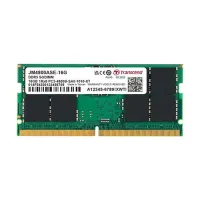
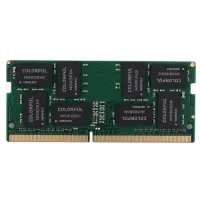
Shop authentic laptop RAM in Bangladesh at EERNA. We stock SO-DIMM modules in DDR4 and DDR5 from brands including Kingston, TEAM, Samsung, Transcend, and Ramaxel. Whether you are checking a price before buying or upgrading your laptop's memory, browse our current inventory below. Prices start from BDT 1,000 and vary by capacity, DDR generation, and brand.
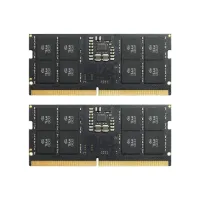
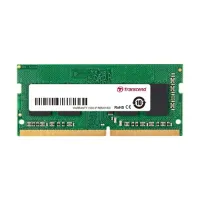
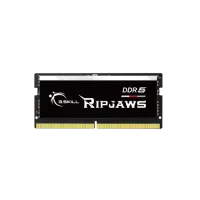
-200x200.webp)
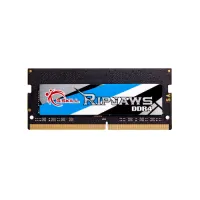
-200x200.webp)
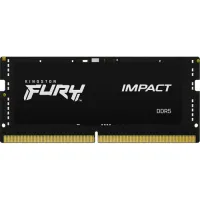
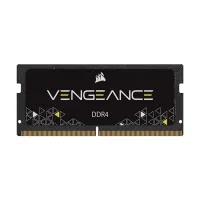
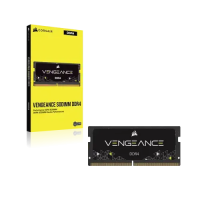
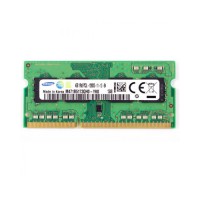
Laptop RAM Price in Bangladesh 2026
| Products | Price |
|---|---|
| Transcend JetRAM 4GB DDR4L 3200MHz Laptop RAM | 1,000 BDT |
| Samsung 4GB 1600MHz DDR3 PC3L Laptop RAM | 1,425 BDT |
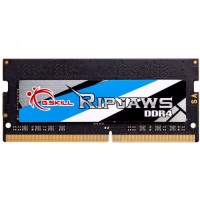
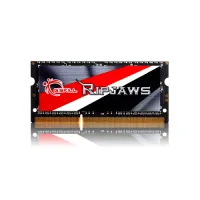
| G.Skill Ripjaws 4GB DDR3 1600MHz SO-DIMM Laptop RAM | 1,500 BDT |
| Lexar 4GB DDR4 3200MHz SODIMM Laptop RAM | 1,500 BDT |
| SAMSUNG 4GB DDR4 3200MHz Laptop RAM | 1,800 BDT |
| Transcend JetRAM 16GB DDR4L 3200MHz Laptop RAM | 7,000 BDT |
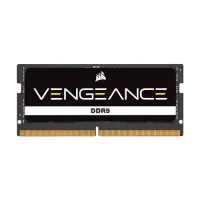
| CORSAIR VENGEANCE 16GB DDR5 4800MHz SODIMM Laptop RAM | 7,100 BDT |
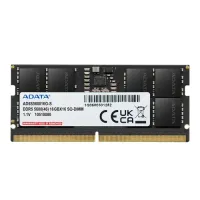
| Adata 16GB DDR5 5600MHz CL46 Laptop Ram | 7,500 BDT |
| CORSAIR VENGEANCE 16GB DDR5 5600MHz SODIMM Laptop RAM | 7,500 BDT |
| TEAM ELITE 32GB 3200MHz DDR4 LAPTOP RAM | 8,900 BDT |
Laptop RAM, or laptop memory, determines how many tasks your system can handle at once without slowing down. Unlike desktop RAM, laptop RAM uses the SO-DIMM (Small Outline Dual In-line Memory Module) form factor, a compact design that fits the narrower chassis of portable computers. At EERNA, the available laptop RAM range covers DDR4 and DDR5 modules across standard capacities of 8GB to 32GB, from trusted brands with manufacturer warranties.
Prices in Bangladesh shift with global memory market cycles, import costs, and the USD/BDT exchange rate. The product cards above reflect current EERNA prices. For the most up-to-date pricing, browse the listings directly or contact our team.
Memory capacity is the first specification to confirm when upgrading. The right capacity depends on what you use your laptop for, not just the highest number available.
8GB of laptop RAM is the practical minimum for comfortable everyday use in 2025 and 2026. It handles web browsing, document work, video calls, and light multitasking without significant slowdown. For a laptop used primarily for online classes, office applications, or casual browsing, 8GB is a reasonable upgrade target. DDR4 8GB modules are the most widely stocked capacity tier at EERNA, with prices reflecting the DDR generation and brand.
16GB is the upgrade capacity most buyers in Bangladesh choose when moving from a 4GB or 8GB system. It provides enough headroom for heavy browser use, programming, light gaming, 1080p video editing, and running multiple applications simultaneously. If your laptop currently runs on 8GB and you notice slowdowns during multitasking, a 16GB module or a pair of 8GB modules in dual-channel configuration is worth considering. Verify that your laptop supports 16GB total before ordering.
32GB is suited for professional workloads: high-resolution video editing, running virtual machines, large-scale data processing, and intensive creative applications. Before buying 32GB, confirm your laptop's maximum supported RAM capacity. Many consumer laptops cap out at 16GB or 32GB, and some premium business or creator laptops support 64GB. A laptop that does not support 32GB will not recognise the additional capacity even if the module is installed correctly.
4GB laptop RAM modules are primarily useful for upgrading very old systems or for specific OEM configurations that require matching a single 4GB slot. For general daily use, 4GB is now below the comfortable threshold for modern operating systems and web browsers. If your laptop supports dual-channel and has two slots, two 4GB modules (totalling 8GB) can be a cost-effective entry point. Contact EERNA to check current 4GB availability.
The DDR generation of your laptop RAM must exactly match the slot type on your motherboard. DDR3, DDR4, and DDR5 are physically and electrically different. A DDR4 module will not fit into a DDR5 slot, and a DDR3 module will not fit into a DDR4 slot. There is no cross-generation compatibility.
DDR4 is the mainstream standard for laptops sold between approximately 2016 and 2022, and many laptops sold today still ship with DDR4 RAM. It runs at speeds from 2133MHz to 3200MHz and is the most widely available and cost-effective generation in Bangladesh. EERNA stocks DDR4 SO-DIMM modules in 8GB and 16GB capacities from brands including Transcend, Kingston, TEAM, and Samsung.
DDR5 is the current generation for laptops released from late 2022 onwards, including recent Intel 12th, 13th, and 14th Gen platforms and AMD Ryzen 7000 series laptops. DDR5 modules start at 4800MHz and commonly run at 5200MHz or 5600MHz. They offer higher bandwidth and lower operating voltage than DDR4, but at a higher price point. If your laptop shipped with DDR5, you cannot replace it with DDR4. Check EERNA's current DDR5 laptop RAM listings for available capacities and brands.
DDR3 and DDR3L modules serve older laptop models, typically those manufactured between 2013 and 2016. DDR3L is a lower-voltage variant that many laptops of that era require. These two types are largely interchangeable in DDR3L-compatible slots, but verify your laptop's voltage requirement before purchasing. Contact EERNA to check current DDR3 availability.
Buying the wrong RAM for your laptop means it will either not fit physically or will not be recognised by your system. Before placing an order, check the following:
Look up your laptop model on the manufacturer's product page or user manual. It will specify whether the system uses DDR3, DDR3L, DDR4, or DDR5 RAM. You can also use a free tool such as CPU-Z (Windows) to identify the memory type currently installed.
Your laptop's motherboard and BIOS define a maximum RAM ceiling. A 32GB module installed in a laptop that supports only 16GB maximum will typically run at 16GB or may not boot correctly. Find the maximum RAM specification on the manufacturer's support page for your exact laptop model.
Most standard laptops have one or two SO-DIMM slots. Some budget and ultra-thin models have RAM soldered directly to the motherboard, making upgrades impossible regardless of the module. Check your laptop's service manual or a trusted disassembly guide to confirm slot count and whether the existing RAM is removable.
Your CPU's memory controller determines the maximum RAM speed your system can effectively use. Installing a 3200MHz DDR4 module in a laptop whose memory controller supports only 2666MHz will result in the RAM running at 2666MHz. This does not cause instability, but you should not pay a premium for speed your laptop cannot utilise.
If your laptop has two RAM slots and you want to maximise performance, buying two identical modules enables dual-channel operation, which increases effective memory bandwidth compared to a single module of equal total capacity. For example, 2 x 8GB in dual channel typically outperforms 1 x 16GB in single channel for memory-bandwidth-sensitive tasks.
Memory requirements depend on your primary workload. The table below provides general guidance. Software requirements, background processes, and operating system overhead mean individual results will vary.
If you are currently on 4GB and experiencing slowdowns during routine tasks, upgrading to 8GB is usually the most cost-effective first step. Moving from 8GB to 16GB is recommended if you regularly run multiple browser tabs alongside productivity or creative applications.
EERNA stocks laptop RAM from established memory brands with verifiable track records. The following brands are represented in our current catalog:
Kingston: One of the most widely recognised memory manufacturers globally. Kingston's ValueRAM and FURY Impact lines cover DDR4 and DDR5 SO-DIMM applications.
TEAM: TEAM Group produces DDR4 and DDR5 SO-DIMM modules at competitive price points and is a consistently stocked brand across Bangladesh retailers.
Samsung: Samsung is a major DRAM chip manufacturer whose OEM-grade memory modules appear in laptops from most major brands. Samsung-branded modules carry strong reliability credentials.
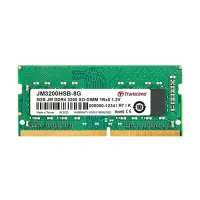
Transcend: Transcend's JetRAM series is available at EERNA and covers DDR4 SO-DIMM configurations including the popular 8GB DDR4 3200MHz module.
Ramaxel: Ramaxel specialises in OEM memory modules commonly found in entry-level and business laptops, making their modules a natural fit for matching existing configurations.
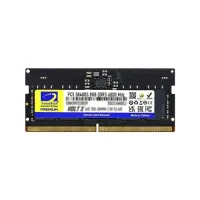
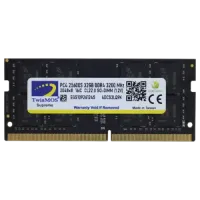
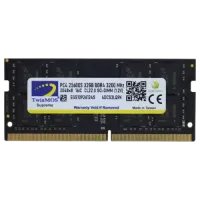
TwinMOS: Available in EERNA's catalog. TwinMOS produces affordable DDR4 SO-DIMM modules.
Browse EERNA's laptop RAM listings for current stock and pricing across all available brands. Contact our team if you are looking for a specific brand or specification not currently listed.
Several factors influence the price of a laptop RAM module in Bangladesh:
DDR generation: DDR5 modules carry a significant premium over DDR4 at equivalent capacities. DDR4 is the most cost-effective choice for laptops that support it.
Capacity: A 16GB module costs more than an 8GB module within the same generation and brand. 32GB modules cost more still, and availability is more limited.
RAM speed: Within the same DDR generation, higher-frequency modules carry a small price premium over slower variants.
Brand: Established names with wider distribution (Kingston, Samsung, Transcend) are generally priced in a predictable range. OEM-grade brands (Ramaxel) offer lower entry points.
Import cycle and exchange rate: RAM prices in Bangladesh are influenced by global memory market pricing, shipping costs, and the USD/BDT exchange rate. EERNA updates product prices to reflect current market rates.
EERNA operates physical retail locations in Dhaka alongside our online store, making it possible to verify product specifications in person before purchasing. All laptop RAM modules sold at EERNA are sourced through verified supply chains. Stock availability, warranty terms, and delivery options are shown on each product page. If you are unsure which module is compatible with your laptop, our team can assist via the contact options on our website.
Laptop RAM prices in Bangladesh vary based on capacity, DDR generation, frequency, and brand. At EERNA, prices start from BDT 1,000 for entry-level modules. DDR4 8GB modules typically range from BDT 3,500 to BDT 6,000 depending on brand and speed. DDR5 modules start significantly higher. For current pricing, browse the product listings above, which reflect live inventory prices.
Check your laptop's user manual or the manufacturer's product support page for your exact model. It will specify the supported RAM type (DDR3, DDR4, or DDR5), maximum capacity, and supported speeds. You can also use CPU-Z (a free Windows tool) to identify the RAM type currently installed. The key factors are: DDR generation, maximum supported capacity, available slots, and supported speed.
No. DDR4 and DDR5 SO-DIMM modules are physically different and electrically incompatible. A DDR4 module will not fit into a DDR5 slot, and a DDR5 module will not fit into a DDR4 slot. Always confirm your laptop's RAM generation before ordering.
8GB is adequate for general use: web browsing, document work, video calls, and light multitasking. If you regularly run multiple browser tabs alongside applications such as Photoshop, video editors, or code compilers, 16GB will provide noticeably more headroom. For gaming on modern titles or professional video editing, 16GB or more is recommended.
If your laptop has a free RAM slot and supports 16GB total, adding another 8GB module or replacing with a single 16GB module is one of the most cost-effective performance upgrades available. The difference is most noticeable when running several applications at once. Confirm your laptop has an accessible, non-soldered RAM slot before purchasing.
SO-DIMM (Small Outline Dual In-line Memory Module) is the compact form factor used by virtually all laptop RAM. It is physically smaller than the DIMM format used in desktop computers. When laptop RAM is listed without a form factor specification, it is almost always SO-DIMM. Desktop RAM and laptop RAM are not interchangeable.
Laptop RAM speed (measured in MHz) affects memory bandwidth, but the practical impact on everyday tasks is modest for most users. A more important consideration is whether the RAM speed is compatible with your laptop: your CPU's memory controller caps the effective speed regardless of what the module supports. Buying 3200MHz DDR4 for a laptop that supports only 2666MHz results in the RAM running at 2666MHz. For most users, increasing capacity from 8GB to 16GB will have a greater impact than a speed difference between modules of equal capacity.
In most cases, yes - you can use two modules of different capacity (for example, 8GB and 4GB). However, mismatched capacities prevent dual-channel operation and the system runs both modules in single-channel mode. For the best performance, use two matched modules of equal capacity. Check your laptop's documentation for any specific restrictions.
If you install two modules of different speeds (for example, one 2666MHz and one 3200MHz module), the system will typically run both at the lower speed. This is functional but not optimal. For best results, use two modules with matching capacity and speed ratings.
Look up your laptop model on the manufacturer's official support or specifications page. Search for the model number alongside "technical specifications." The page will list the maximum supported RAM and the number of available slots. Alternatively, tools such as CPU-Z (Windows) show currently installed memory. Kingston's memory configurator and Crucial's System Scanner can also identify compatible upgrades based on your exact system.