




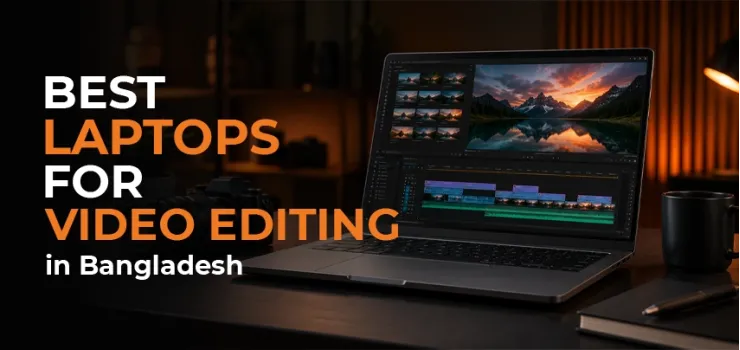
If you are looking for the best laptops for video editing in Bangladesh, you are in the right place. The wrong laptop can turn every project into a struggle, slow rendering, laggy timelines, overheating, and crashes when deadlines matter most.
Whether you are a YouTube creator, freelance video editor, content creator, or media student, your laptop plays a direct role in how fast and smoothly you can work. A powerful machine saves time, handles demanding software more efficiently, and lets you focus on creativity instead of technical problems.
The challenge is that not every laptop with a powerful processor is built for video editing. Performance depends on the right combination of CPU, GPU, RAM, storage speed, and display quality. Choosing the right setup can make a huge difference, especially when working with Full HD or 4K footage.
There are now excellent video editing laptops available in Bangladesh across every budget range. From affordable options for beginners to high-performance machines for professional editors, there is a laptop for every type of creator.
Here, we'll break down the best laptops for video editing in Bangladesh in 2026, explain the key specifications that matter, compare the top models available at EERNA, and help you choose the right laptop based on your budget, editing software, and workflow.
What Makes a Good Video Editing Laptop? (Key Specs Explained)
Before you look at specific models, understand what actually matters for video editing. Buying based on just price or brand is how people end up frustrated.
Processor (CPU) - The Engine of Your Edit
The CPU handles everything in your timeline - scrubbing through footage, applying effects, and background exports.
For video editing in 2026, you need at minimum:
Intel Core i5 (12th/13th Gen H-series) or AMD Ryzen 5 7000/8000 series for entry-level 1080p editing
Intel Core i7 (13th/14th Gen) or Ryzen 7/9 for smooth 4K video editing
Apple M3/M4 for unmatched performance per watt on macOS
The "H" and "HX" suffixes matter. An Intel Core i7-13700H is a high-performance laptop chip. An i7-1355U is a thin-and-light chip that is not built for sustained heavy workloads. Always check the suffix before buying.
Graphics Card (GPU) - More Than Just Gaming
Video editing is GPU-accelerated. Premiere Pro uses NVIDIA's CUDA cores. DaVinci Resolve is even more GPU-dependent, it will run poorly on integrated graphics.
For a laptop for video editors in Bangladesh, here is what to look for:
RTX 3050 (6GB): Minimum for smooth 1080p editing in Premiere Pro
RTX 4050 (6GB): Good for 1080p, handles most 4K timelines comfortably
RTX 4060 (8GB): Strong 4K video editing laptop performance, handles DaVinci Resolve well
Integrated graphics (Intel Iris / AMD Radeon iGPU): Acceptable only for CapCut, Filmora at 1080p; struggles with heavier software
RAM - How Much Is Enough?
RAM is the workspace your editing software uses to keep footage, effects, and the timeline loaded at once. The more RAM you have, the fewer slowdowns and crashes you will face during heavy editing sessions.
8GB: Too tight for 2026. Possible for light CapCut/Filmora use, but expect slowdowns.
16GB: The practical minimum for Premiere Pro and most 1080p workflows.
32GB: Recommended for 4K editing, multicam timelines, or heavy After Effects use.
Storage (SSD Speed Matters)
Slow storage is a hidden bottleneck for video editors. Even with a powerful CPU and GPU, a sluggish drive forces your software to buffer footage instead of playing it back smoothly.
A slow hard drive or old SATA SSD creates bottlenecks when reading large video files. For editing, you want:
NVMe PCIe Gen 4 SSD - The fastest widely available option. Loads 4K footage without buffering.
512GB minimum - But 1TB is better. 4K footage fills storage fast.
Avoid spinning hard drives for your editing drive. Use external SSDs for media storage if needed.
Display Quality for Color-Accurate Editing
This is where many buyers in Bangladesh make a mistake. A bright screen is not enough for color work. Look for:
100% sRGB minimum for general video editing
DCI-P3 coverage (90%+) for professional color work
Full HD (1920×1080) minimum Anything lower is unacceptable for editing
OLED panels offer the best contrast but can be pricier in BD
YouTube creators working in sRGB color space are fine with 100% sRGB. If you grade footage for cinema or professional clients, DCI-P3 matters.
Battery Life and Portability
Powerful editing laptops in Bangladesh are not great on battery. An RTX 4060 laptop doing heavy Premiere exports will drain fast. Expect 2–4 hours under load.
If you need all-day battery life and portability, the MacBook Air M3/M4 stands apart, it delivers 15+ hours of real use and handles 4K editing comfortably.
For Windows laptops, always carry the charger to editing sessions.
Best Video Editing Laptops in Bangladesh 2026 - Our Top Picks
These are not just spec lists; each pick is chosen based on what the editing software demands and what gives you real value at each budget tier in Bangladesh.
Best Budget Video Editing Laptop Under ৳70,000
At this price tier in Bangladesh, dedicated GPU laptops are not available. What you get at ৳70,000 and below are laptops with integrated graphics, Intel Iris Xe or AMD Radeon iGPU. These are capable machines for daily use, but their editing capability is limited to lighter software and 1080p timelines.
What to expect under ৳70,000:
ASUS VivoBook 15 (Ryzen 5 7430U / Intel Core i3-11th Gen): Available from ~৳55,000–৳65,000 at EERNA. Handles CapCut and Filmora at 1080p. Good for short-form content creators and students starting out.
Lenovo IdeaPad Slim 3 / Slim 5 (Ryzen 7 7730U): Available from ~৳53,500 at EERNA. The Ryzen 7000 integrated GPU is better than Intel Iris for light GPU-accelerated tasks.
Dell Inspiron 15 (Core i3-11th Gen): Reliable and durable. Fine for CapCut, basic Filmora work, and light editing.
What these laptops cannot do: Premiere Pro on complex timelines will feel sluggish. DaVinci Resolve will warn you about GPU performance and struggle with real-time playback. These are entry-level editing machines, not professional tools.
Honest advice: If editing is your main work, treat this tier as a starting point only. Save up to the ৳80,000–৳1,00,000 range where RTX GPUs begin and the experience improves dramatically.
You can browse all laptops under ৳70,000 at EERNA eerna.com.bd/laptop
Here is what a typical under-৳ 70,000 laptop at EERNA looks like in terms of specs:
Best Laptop for Video Editing Under ৳50,000 (Tight Budget)
Under ৳50,000 at EERNA, you are in the entry-level laptop territory, Core i3 or Ryzen 3 processors with integrated graphics. These are reliable for daily tasks, but video editing at this price point requires realistic expectations.
At this budget, you can do basic cuts in CapCut on 1080p footage. Anything heavier, such as multi-track timelines, color grading, or Premiere Pro will result in slow performance. There are no dedicated GPUs in this range in Bangladesh.
Honest advice: If video editing is your goal, ৳50,000 is simply not enough to buy the right tool. Use this budget for a general-purpose laptop to start learning, and upgrade as soon as your work generates income. Editing on a slow laptop with integrated graphics discourages more creators than it helps.
Best Mid-Range Video Editing Laptop (৳70,000 – ৳1,20,000)
This is where dedicated GPU laptops begin in Bangladesh. From ৳80,000 upward at EERNA, you enter RTX 2050 and RTX 3050 territory, and the difference over integrated graphics is immediately felt in Premiere Pro and CapCut 4K timelines.
Best pick at ৳80,400–৳1,00,000: HP Victus 15 (Core i5 13th Gen, RTX 2050)
EERNA stocks HP Victus gaming laptops starting from ৳80,000. The Victus 15 pairs a 13th Gen Intel Core i5 with an RTX 2050 GPU, a 15.6" FHD 144Hz display, and 8–16GB DDR5 RAM. It handles Premiere Pro at 1080p and runs CapCut and Filmora smoothly even with 4K footage.
Browse HP Victus laptops at EERNA eerna.com.bd/hp-gaming-laptop
Step up pick at ৳1,00,000–৳1,20,000: ASUS TUF Gaming A15 (Ryzen 7, RTX 4060, 8GB VRAM)
EERNA stocks ASUS TUF Gaming A15 models with Ryzen 7 and RTX 4060 configurations. The RTX 4060 with 8GB GDDR6 handles Premiere Pro 4K timelines smoothly and runs DaVinci Resolve without the constant GPU warnings you get on lower-end GPUs.
The TUF A15's Ryzen 7 processor handles heavy export queues without throttling. Military-grade build quality (MIL-STD-810H) means it survives daily commutes between home, office, and clients.
Browse ASUS TUF Gaming laptops at EERNA eerna.com.bd/asus-gaming-laptop
Here is what the ASUS TUF Gaming A15 brings to the table at this price range:
Best High-End Video Editing Laptop (Above ৳1,20,000)
At this tier, you are getting serious editing power. 4K timelines, multicam sequences, heavy color grading in DaVinci Resolve, these machines handle it without dropping frames.
Best pick: Lenovo LOQ 15IRH8 – Core i7 13th Gen + RTX 4060
Price at EERNA: ৳1,77,500 - In Stock
The Lenovo LOQ 15IRH8 is one of the best value high-end video editing laptops available at EERNA right now. Core i7-13650HX paired with RTX 4060 8GB delivers exactly what Premiere Pro and DaVinci Resolve need. The 15.6" FHD 144Hz display is bright and accurate enough for most content creator workflows.
The LOQ's cooling system keeps the GPU running at consistent wattage during long renders, important for a laptop for video editors who export frequently. 100% sRGB panel coverage is confirmed on this model.
Also worth considering at this tier - MSI Creator M16 (Core i7, RTX 4060, 4K OLED) at approximately ৳1,80,000–৳2,20,000, for creators who want the best display quality available on a Windows laptop in Bangladesh. The 4K OLED covers DCI-P3 fully.
Here is a full spec breakdown of the Lenovo LOQ 15IRH8 at EERNA:
Which Laptop Should You Buy Based on Your Editing Software?
Not all video editing software works the same way under the hood. Premiere Pro, DaVinci Resolve, CapCut, and Final Cut Pro each have different hardware needs, and the wrong laptop for your software will underperform even with good specs.
Best Laptop for Adobe Premiere Pro in Bangladesh
Premiere Pro is GPU-accelerated via CUDA (NVIDIA). The best laptop for Adobe Premiere Pro in Bangladesh needs a strong NVIDIA GPU, RTX 4050 minimum, RTX 4060 preferred - paired with 16GB RAM and a fast NVMe SSD.
The Lenovo LOQ 15IRH8 (৳1,77,500) is the strongest confirmed in-stock pick for Premiere Pro at EERNA. Its Core i7 + RTX 4060 combination handles 4K H.264 and H.265 timelines without proxy workflows.
Best Laptop for DaVinci Resolve in Bangladesh
DaVinci Resolve is the most GPU-intensive editing software available. It offloads color grading, noise reduction, and Fusion effects entirely onto the GPU, which means your graphics card choice matters more here than in any other editing app.
DaVinci Resolve is the most GPU-hungry editing software. RTX 3050 is the honest minimum. RTX 4060 with 8GB VRAM is where resolve really shines, smooth playback, fast node rendering, and stable color grading tools.
If you are doing professional color work, the MSI Creator M16 (৳1,80,000–৳2,20,000) with its DCI-P3 OLED panel is worth the investment. The display accuracy alone justifies it for serious colorists.
Best Laptop for CapCut and Filmora (Budget Creators)
CapCut and Filmora are the most popular editing apps among content creators and students in Bangladesh. They are lighter than Premiere Pro and do not need a high-end GPU to run well at 1080p.
These apps are significantly lighter than Premiere Pro. CapCut and Filmora run reasonably well even on integrated graphics for 1080p timelines. The HP Victus 15 (from ৳79,400) handles both apps confidently.
For 4K editing in CapCut or Filmora, get at least RTX 3050. The experience is much smoother and export times drop noticeably.
Best MacBook for Video Editing in Bangladesh
MacBooks run on Apple Silicon, a completely different architecture from Windows laptops. The M3 and M4 chips process video tasks differently and often faster than comparable Intel or AMD chips, especially in Final Cut Pro and DaVinci Resolve on macOS.
MacBook Air M3 (13-inch) starts at approximately ৳1,04,000–৳1,10,990 at EERNA. For a laptop for YouTubers in Bangladesh who use Final Cut Pro or DaVinci Resolve, the M3 chip is genuinely impressive, faster than most RTX 4050 Windows laptops in single-threaded tasks, runs cool and silent, and lasts 15+ hours on battery.
MacBook Air M4 and MacBook Pro M4 are also available at EERNA, with the full range from ৳92,000 to ৳5,71,900.
Browse all MacBook models at EERNA eerna.com.bd/apple-macbook
Which Laptop Brands Are Best for Video Editing in Bangladesh?
Each brand has a different strength - value, build quality, display accuracy, or after-sales support. Picking the right brand means matching it to what matters most in your editing workflow.
All of these brands are available at EERNA with genuine warranty and authorized distributor stock.
Buying a Video Editing Laptop in Bangladesh - What You Should Know
Buying a laptop in Bangladesh comes with risks that buyers in other markets do not face. Grey market units, missing warranty documentation, and limited after-sales support can turn a good purchase into a costly mistake. Here is what to check before you buy.
Official vs Grey Market Laptops in Bangladesh
This is the most important section for any buyer in Bangladesh. Grey market laptops, those brought in unofficially without proper import documentation, are everywhere in Dhaka. They often look identical to official units and cost 5–15% less.
The problem is that there is no valid local warranty. If your laptop fails at month 7, you are on your own. The after-sales cost of a single repair can easily exceed what you "saved."
Every laptop sold at EERNA comes from authorized distributor channels with valid serial numbers and official warranty documentation. This matters more for expensive laptops (above ৳1,00,000) where the stakes are higher.
Where to Buy Laptops for Video Editing in Bangladesh
EERNA operates both online at eerna.com.bd and through physical showrooms at Multiplan Center and Jamuna Future Park in Dhaka. You can see the laptop in person, compare displays side by side, and confirm stock before ordering.
For a ৳1,00,000+ purchase, walking into a showroom and seeing the display panel in person is worth the trip, especially when you are buying for color-critical editing work.
Warranty and After-Sales Service in Bangladesh
A laptop warranty is only as good as the service network behind it. Knowing which brands have strong local support in Bangladesh can save you weeks of frustration if something goes wrong.
Lenovo: Authorized service centers in Dhaka, solid coverage
ASUS: Dedicated service available at major IT hubs, including Multiplan Center
HP: Broad service network across Bangladesh
Apple: Limited official service infrastructure in Bangladesh; EERNA's authorized reseller status provides a direct return channel
When buying above ৳1,50,000, always confirm whether the warranty is a local Bangladesh warranty or just an international warranty (which may require shipping the unit abroad for repairs).
Should You Buy a Laptop or Build a Desktop for Video Editing?
If you edit at a fixed desk and have a budget of ৳1,00,000, a desktop wins on pure performance per taka. A video editing desktop at ৳1,00,000 will outperform most ৳1,50,000–৳2,00,000 laptops.
If you travel, work from client locations, or need to edit on the go, a laptop is the right call. For those who want both, a mid-range laptop paired with an external monitor and hard drive at a desk is a practical setup many Dhaka creators use.
EERNA's Video Editing PC section covers desktop options if you want to compare.
Video Editing Laptops in Bangladesh - Quick Comparison (2026)
If you want a fast side-by-side view before deciding, here are the top picks across all budget tiers, with confirmed EERNA prices and the editing use case each one is best suited for.
Final Thoughts - Find the Right Laptop for Your Editing Workflow
There is no single best laptop for every video editor. The right choice depends on your software, your budget, and how and where you work.
Here is a quick summary to help you decide.
The best video editing laptop for you in Bangladesh depends entirely on what you actually edit.
If you are starting out with CapCut or Filmora at 1080p and your budget is under ৳70,000, an ASUS VivoBook or Lenovo IdeaPad with integrated graphics gets you going. Upgrade when ready.
If you want the first real editing GPU - the HP Victus 15 from ৳80,000 at EERNA is where RTX starts in Bangladesh.
If you work in Premiere Pro or DaVinci Resolve at 4K - the Lenovo LOQ 15IRH8 at ৳1,77,500 is the best confirmed in-stock value at EERNA.
If you want the smoothest laptop editing experience with no thermal throttling and great battery life, the MacBook Air M3 is worth every taka.
All laptops available at EERNA come with a genuine warranty, authorized distributor stock, and proper after-sales support, so what you buy is what you actually get.
Most Common FAQs on Video Editing Laptops in Bangladesh
01. Which laptop is best for video editing in Bangladesh under 1 lakh taka?
The ASUS TUF A15 with RTX 4050 (available from ~৳1,09,500 at EERNA) is the strongest pick under ৳1,00,000 for serious editing. For strictly under ৳1,00,000, the HP Victus 15 with RTX 3050 handles Premiere Pro at 1080p competently.
02. Is 8GB RAM enough for video editing in Bangladesh?
No, not in 2026. 8GB is the bare minimum, Premiere Pro regularly uses 6-10GB by itself, leaving almost nothing for the OS and other tasks. Expect crashes and slowdowns. 16GB is the practical minimum. 32GB if you work with 4K or multicam projects.
03. Can I use a gaming laptop for video editing in Bangladesh?
Yes, and in Bangladesh, gaming laptops are often the best-value choice for video editors. They share the same high-performance CPUs and dedicated GPUs that editing software needs.
04. Is MacBook Pro worth it for video editing in Bangladesh?
If you use Final Cut Pro or DaVinci Resolve and your workflow is macOS-friendly, yes. The M3/M4 chip renders faster than most equivalent Windows laptops, runs silently, and lasts 15+ hours.
05. What is the minimum GPU for DaVinci Resolve in Bangladesh?
RTX 3050 (6GB) is the minimum for a usable DaVinci Resolve experience. RTX 4050 or 4060 is the recommended tier. DaVinci Resolve uses the GPU heavily for color grading, noise reduction, and Fusion effects, integrated graphics will result in dropped playback and slow renders.
06. Where can I buy a genuine video editing laptop in Bangladesh?
EERNA is one of the most reliable options in Bangladesh authorized distributor stock, verified warranty documentation, and physical showrooms at Multiplan Center and Jamuna Future Park in Dhaka. Online orders with home delivery are also available at eerna.com.bd.
07. Which is better for video editing - Intel or AMD in 2026?
Both are strong. AMD Ryzen 7/9 processors run cooler and handle sustained workloads efficiently - useful for long export sessions. Intel Core i7/i9 (13th/14th Gen) deliver higher single-core performance and work well for Premiere Pro's hybrid rendering. For DaVinci Resolve, the GPU matters more than the CPU choice. For Premiere Pro on Windows, Intel Core i7 has a slight edge in real-world export benchmarks. On macOS, Apple Silicon (M3/M4) is in a league of its own.



-330x240.webp)


Comments
There are no comments for this Article.