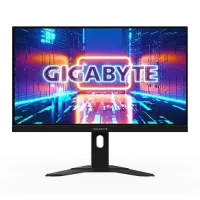
Currently, the monitor price in BD starts at BDT 4,500, with prices varying up to BDT 430,000 depending on the brand, panel technology, and specific professional features. Whether you are building a budget-friendly home office, a high-end gaming rig, or a professional creative studio, we have the ideal computer monitor for your needs.
-200x200.webp)
-200x200.webp)
-200x200.webp)
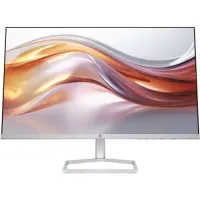
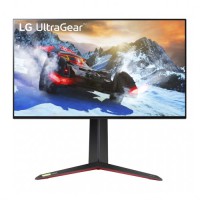
PC monitor prices in Bangladesh are affected by global supply and local demand. By late 2025, high-refresh-rate displays have become much more affordable.
A typical 22-inch monitor now costs between BDT 9,500 and BDT 13,500 in Bangladesh. If you want a bigger screen, most 24-inch monitors range from BDT 12,500 to BDT 28,000.
If you want top performance, gaming monitors in Bangladesh start at BDT 18,000 for entry-level 144Hz models and can go over BDT 1,50,000 for ultra-wide OLED setups.
Top monitor brands in Bangladesh include Dell, HP, Asus, Samsung, LG, BenQ, MSI, Gigabyte, and ViewSonic. These brands are known for reliability and features, with options for gaming and everyday use. You can find everything from basic LED/LCDs to high-refresh-rate gaming and 4K displays at major retailers.
Samsung is a leader in display innovation. If you want a curved monitor with deep blacks and vibrant colors, a Samsung Monitor is often the top choice. Their Odyssey series is legendary among gamers, while the ViewFinity series caters to professionals.
LG Monitor models are famous for their high-quality IPS panels. They offer some of the best 4 K monitor prices in BD, especially in their UltraFine and UltraGear lineups. LG is the preferred choice for color accuracy and wide viewing angles.
A Dell Monitor is the gold standard for office environments. Known for their incredible build quality and ergonomic stands, the Dell UltraSharp and P-series monitors are perfect for long hours of productive work.
HP Monitor displays combine sleek, modern aesthetics with reliable performance. From the budget-friendly M-series to the professional Z-series, HP offers great value for home and business users alike.
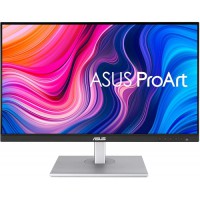
ASUS dominates the high-performance sector. Whether you need an ASUS Monitor from the ProArt series for editing or a ROG Swift gaming monitor for competitive play, ASUS delivers cutting-edge technology like ELMB and high HDR brightness.
MSI Monitor setups have rapidly become a favorite for gamers in Bangladesh. They offer aggressive pricing on high-refresh-rate curved displays. Their Optix and MAG series offer incredible "bang for your buck" in the gaming monitor price segment in bd.
Acer Monitor products are often the most budget-friendly in the high-performance category. The Acer Nitro and Predator series offer impressive specs at a lower pc monitor price point, making them popular with students.
ViewSonic Monitor models are highly regarded in the education and corporate sectors. Their Omni series provides excellent gaming features, while the ColorPro series competes with the best professional displays globally.
Not all screens are the same. Choose a monitor with features that fit your main tasks.
For basic tasks like web browsing, emails, and document editing, simplicity and comfort are key.
Ideal screen sizes: 22-inch to 24-inch.
Resolution focus: Full HD (1080p) is more than enough.
Who should buy: Students, remote workers, and casual home users.
If you play fast-paced games, look for a monitor that offers speed and smooth visuals.
Refresh rate: Look for at least 144Hz or 165Hz.
Response time: 1ms or lower is essential to avoid ghosting.
Curved vs flat: A curved monitor provides better immersion, while flat screens are better for consistent sightlines.
Graphic designers, video editors, and photographers need precise visuals.
Color accuracy: Look for 99% sRGB or DCI-P3 coverage.
Panel type: An IPS or OLED monitor is mandatory for color consistency.
Best for: Visual artists and content creators.
When the monitor price is your primary concern, you can still find great value.
Who it’s for: Basic office use or as a secondary display.
What to expect: 60Hz or 75Hz refresh rates, basic tilt stands, and Full HD resolution.
The size of your monitor affects how much you can view at once.
19-inch: These are ultra-budget options, ideal for tiny desk spaces or server monitoring.
22-inch: The standard entry-level size for home and office use.
24-inch: The sweet spot for 1080p gaming and general productivity.
27-inch: Perfect for a 2k monitor price in BD setup. A 27-inch monitor provides a large canvas for multitasking.
32-inch and above: The 32-inch monitor price in bd is ideal for 4K resolution, gaming consoles, or professional video editing.
Monitor resolution refers to the number of pixels on the screen. Common types include HD (720p), Full HD (1080p), 2K (1440p), 4K (2160p), and 5K. Higher resolutions deliver sharper images and more space, which is useful for gaming, design, and everyday tasks.
HD (1366x768): Found only in the most affordable 19-inch monitors today.
Full HD (1920x1080): The most common resolution in Bangladesh. It is perfect for a 24-inch monitor.
QHD / 2K: A 2K monitor price in bd offers 77% more screen space than a Full HD monitor. This is ideal for a 27-inch monitor.
4K / UHD: For the ultimate clarity, look at the 4k monitor price in Bangladesh. These are best used on screens 32 inches or larger.
Choose your monitor panel based on how you use it:
IPS is best for color accuracy, VA for strong contrast, TN for speed and budget, and OLED for top visuals.
IPS Panel: Best for colors and viewing angles. Ideal for designers and general users.
VA Panel: Best for contrast and deep blacks. Often used in a curved monitor.
TN Panel: The fastest, but has poor colors. Primarily used in older budget gaming monitors.
OLED Panel: The pinnacle of technology. The OLED monitor price in BD is high, but it offers infinite contrast and the fastest response times.
The refresh rate (Hz) is how often your screen updates per second, making motion look smoother. Response time (ms) is how fast a pixel changes color, which helps prevent ghosting and blur. Both are important for clear visuals, especially in gaming.
60Hz vs 75Hz vs 144Hz vs 165Hz: Higher refresh rates make motion smoother. For competitive gaming, aim for at least 144Hz.
Response time importance: This measures how fast a pixel can change color. High response times cause smearing behind moving objects.
Who really needs a high refresh rate: Primarily gamers, but even office workers find 75Hz or 100Hz more comfortable for the eyes.
There is no clear winner between curved and flat monitors. Curved screens give more immersion, a wider view, and can reduce eye strain, but they cost more and are less sturdy. Flat screens are more durable, less expensive, and better for tasks that need straight lines, like design or competitive gaming.
Gaming: A curved monitor follows the natural curve of the eye, reducing edge distortion and increasing immersion.
Productivity: Flat monitors are better for designers because straight lines do not appear warped.
Desk space consideration: Curved monitors often have deeper stands, so ensure your desk is wide enough to accommodate them.
Monitors use ports like HDMI, DisplayPort, and USB-C for video and audio. HDMI works with most devices, DisplayPort is best for multiple monitors or high refresh rates, and USB-C can handle video, data, and power. Older ports like VGA and DVI are for older devices. Make sure your monitor and computer have matching ports and use the right cables for the best quality.
HDMI: The universal standard for connecting to laptops, PCs, and consoles.
DisplayPort: Essential for high-refresh-rate gaming and 4K monitor setups.
VGA: An older analog port still found on budget monitors and older PCs.
USB Type C: Found on high-end displays, allowing you to charge your laptop and send video signals through a single cable.
EERNA Limited is a trusted shop for monitors in Bangladesh for several reasons:
100% genuine products: We only sell original monitors from authorized distributors.
Official warranty: Every monitor comes with a manufacturer-backed warranty.
Competitive price: We offer the best monitor price in Bangladesh.
Fast delivery across Bangladesh: We ship to all 64 districts safely.
Expert support: Our team helps you choose the correct specs for your GPU and budget.
To pick the best monitor in Bangladesh, start by deciding how you will use it. Choose a size that fits your desk, usually 24 to 27 inches, or bigger for more immersion. For resolution, 1080p is standard, but 1440p or 4K gives more detail. Pick IPS panels for color, or VA/TN for speed and budget. Look at refresh rate and response time, and make sure your budget matches the features you need. Check local stores like EERNA for brands such as HP, ASUS, and LG.
Purpose: Determine if you are gaming, working, or designing.
Screen size: Match the size to your desk space. A 27-inch monitor is usually the best all-arounder.
Resolution: If you choose a large screen, ensure the resolution is high enough (e.g., 1440p for a 27-inch screen).
Panel type: Go for IPS if you value colors, or VA for movies and dark room gaming.
Budget: Check the latest monitor prices on EERNA to find a model that fits your budget.
A basic computer monitor starts at approximately BDT 4,500 for a 19-inch model.
A decent high-refresh-rate gaming monitor costs around BDT 18,500 in Bangladesh.
IPSs is generally the best choice for most users due to its superior color and viewing-angle performance.
A borderless monitor has skinny bezels. It looks modern and is great for multi-monitor setups, but it usually does not add a high cost.
Yes, if you do a lot of reading or text work, the sharpness of a 4k monitor significantly reduces eye strain.
You can, but a PC monitor has much lower input lag and a higher pixel density, making it better for close-up use.
Check your cable connections (HDMI/DisplayPort) and ensure your graphics card drivers are updated.
You will need an active HDMI-to-VGA converter, which you can find at EERNA Limited.
For most indoor environments, a brightness of 250 to 300 nits is perfect.
Most brands, such as Dell, HP, and Samsung, offer a 3-year official warranty.
Most manufacturers require 3 to 5 dead pixels to qualify for a warranty replacement. Please check the specific brand policy at the time of purchase.